Schedule-X alternatives

Schedule-X is an MIT-licensed JavaScript calendar library with day, week, month, and list views. If you're looking for an alternative, you're likely deciding whether first-party Svelte support matters more than free interactive editing, resource scheduling, export, or AI development tooling. Schedule-X keeps drag-and-drop and resource scheduling behind paid Premium add-ons in v4.
What to know about Schedule-X alternatives
The table below compares licensing, scheduling features, framework support, package access, and MCP support.
| Feature | FullCalendar | Mobiscroll Event Calendar | DHTMLX Scheduler | Bryntum Calendar |
|---|---|---|---|---|
| License | MIT (core) / Annual subscription (Premium) | Commercial | GPL (Standard) / Commercial | Commercial |
| Free tier | MIT (no watermark) | 90-day trial | GPL Standard | Trial only |
| Resource scheduling | Premium only | ✔️ | Commercial only | ✔️ |
| Drag-and-drop | ✔️ (free) | ✔️ | ✔️ | ✔️ |
| Framework support | React, Angular, Vue | React, Angular, Vue | React, Angular, Vue, Svelte | React, Angular, Vue, plain JavaScript |
| Public npm | ✔️ | ❌ (CLI auth) | ✔️ | Trial packages and wrappers |
| Agent support (MCP, skills) | ❌ | ❌ | HTTP MCP server | HTTP MCP server, Claude Code skill |
FullCalendar
FullCalendar is a JavaScript event calendar with an MIT-licensed core covering day, week, month, list, and multi-month views. Drag-and-drop and event resize are free through the @fullcalendar/interaction plugin. Resource scheduling requires the Premium subscription.
Installing FullCalendar
The standard packages are on the public npm registry under the MIT license:
npm install @fullcalendar/core@6.1.20 @fullcalendar/daygrid@6.1.20 @fullcalendar/timegrid@6.1.20 @fullcalendar/list@6.1.20 @fullcalendar/interaction@6.1.20
The following shows a team calendar week view with events spanning April 27 to May 1:
<!-- index.html -->
<style>
  html, body { margin: 0; padding: 0; height: 100%; font-family: Arial, sans-serif; }
  #app { padding: 16px; height: 100vh; box-sizing: border-box; }
  #calendar { height: calc(100vh - 32px); }
</style>
<div id="app">
  <div id="calendar"></div>
</div>
import { Calendar } from '@fullcalendar/core';
import dayGridPlugin     from '@fullcalendar/daygrid';
import timeGridPlugin    from '@fullcalendar/timegrid';
import listPlugin        from '@fullcalendar/list';
import interactionPlugin from '@fullcalendar/interaction';

const calendarEl = document.getElementById('calendar');

const calendar = new Calendar(calendarEl, {
  plugins : [dayGridPlugin, timeGridPlugin, listPlugin, interactionPlugin],

  initialView  : 'timeGridWeek',
  initialDate  : '2026-04-28',
  height       : '100%',

  headerToolbar : {
    left   : 'prev,next today',
    center : 'title',
    right  : 'dayGridMonth,timeGridWeek,timeGridDay,listWeek'
  },

  slotMinTime : '08:00:00',
  slotMaxTime : '20:00:00',
  editable    : true,

  events : [
    { id : '1',  title : 'Team Standup',       start : '2026-04-27T09:00', end : '2026-04-27T09:30' },
    { id : '2',  title : 'Sprint Planning',     start : '2026-04-27T10:00', end : '2026-04-27T12:00' },
    { id : '3',  title : 'Design Review',       start : '2026-04-27T14:00', end : '2026-04-27T15:00' },
    { id : '4',  title : 'Team Standup',        start : '2026-04-28T09:00', end : '2026-04-28T09:30' },
    { id : '5',  title : 'API Workshop',        start : '2026-04-28T11:00', end : '2026-04-28T13:00' },
    { id : '6',  title : 'Client Demo Prep',    start : '2026-04-28T15:00', end : '2026-04-28T17:00' },
    { id : '7',  title : 'Team Standup',        start : '2026-04-29T09:00', end : '2026-04-29T09:30' },
    { id : '8',  title : 'Regression Testing',  start : '2026-04-29T10:00', end : '2026-04-29T13:00' },
    { id : '9',  title : 'Product Review',      start : '2026-04-29T14:00', end : '2026-04-29T15:30' },
    { id : '10', title : 'Team Standup',        start : '2026-04-30T09:00', end : '2026-04-30T09:30' },
    { id : '11', title : 'Release Planning',    start : '2026-04-30T14:00', end : '2026-04-30T16:00' },
    { id : '12', title : 'Team Standup',        start : '2026-05-01T09:00', end : '2026-05-01T09:30' },
    { id : '13', title : 'Retrospective',       start : '2026-05-01T10:30', end : '2026-05-01T12:00' },
    { id : '14', title : 'UX Research Session', start : '2026-05-01T14:00', end : '2026-05-01T17:00' }
  ]
});

calendar.render();
Three setup details require attention:
- Drag-and-drop and event resize require
@fullcalendar/interactionin thepluginsarray. Settingeditable: truealone is insufficient without it. - In v6, CSS is injected automatically by the JavaScript bundle. No manual CSS imports are needed.
- Resource views (
@fullcalendar/resource-timeline,@fullcalendar/resource-timegrid) require a Premium license key inschedulerLicenseKey.
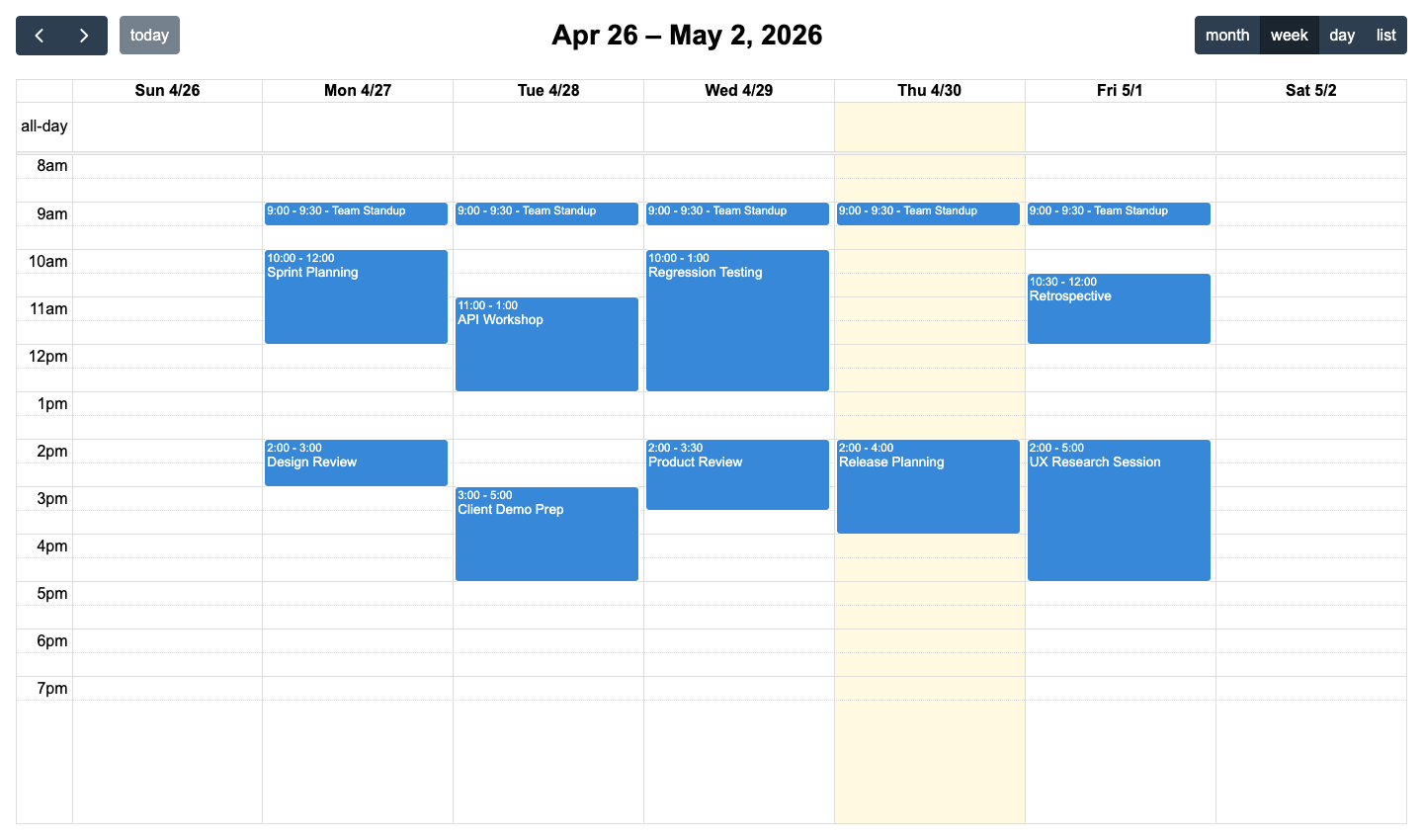
FullCalendar is free under MIT with drag-and-drop included at no cost
Drag-and-drop, event resize, ICS import, and recurring events are all free. The MIT-licensed standard tier carries no evaluation watermark, no per-developer fee, and no restriction on open-source use. Framework wrappers for React, Angular, and Vue are first-party and free.
FullCalendar is the direct answer for teams leaving Schedule-X over the v4 drag-and-drop gate. The interaction features that Schedule-X moved to Premium in v4 remain free in FullCalendar. It is the only option here that combines an MIT-licensed core with free drag-and-drop and no per-developer fee on the standard tier.
FullCalendar Premium required for resource scheduling at $480 per developer per year
Resource scheduling requires the Premium subscription at $480 per developer per year. The subscription covers updates while active. FullCalendar has no built-in export to PDF, Excel, or ICS, and no undo/redo stack. The library ships no MCP server and no Claude Code skill. FullCalendar and DHTMLX Scheduler Standard both keep resource scheduling outside the free core, while Mobiscroll includes it in the base package with no upgrade required.
FullCalendar pricing: free MIT core, Premium at $480 per developer per year
The MIT-licensed core is free with no per-developer fee. Premium, which includes resource timeline and resource time-grid views, starts at $480 per developer per year for up to 10 developers. OEM licensing for products shipped to multiple clients requires a custom quote.
Mobiscroll Event Calendar
Mobiscroll Event Calendar is a commercial JavaScript calendar component that ships four configurable view types: calendar, scheduler, timeline, and agenda. Drag-and-drop, resize, and drag-to-create are included in the base package alongside the resource timeline view.
The Event Calendar is not on the public npm registry and requires CLI authentication before any npm install command works.
Installing Mobiscroll Event Calendar
Two commands set up Mobiscroll access: the global CLI install and a per-project configuration step.
npm install -g @mobiscroll/cli
mobiscroll config javascript
The mobiscroll config javascript command opens a browser to authenticate with Mobiscroll and configures npm to use the Mobiscroll private registry. A trial account is sufficient for evaluation.
The following shows a resource timeline for four team members across April 2026:
<!-- index.html -->
<style>
  html, body { margin: 0; padding: 0; height: 100%; font-family: Arial, sans-serif; }
  #app { padding: 16px; height: 100vh; box-sizing: border-box; }
  #calendar { height: calc(100vh - 32px); }
</style>
<div id="app">
  <div id="calendar"></div>
</div>
import * as mobiscroll from '@mobiscroll/javascript';
import '@mobiscroll/javascript/dist/css/mobiscroll.min.css';

mobiscroll.setOptions({ theme: 'material', themeVariant: 'light' });

mobiscroll.eventcalendar('#calendar', {
  view : {
    timeline : { type : 'month' }
  },
  selectedDate : new Date(2026, 3, 1).getTime(),
  dragToCreate : true,
  dragToMove   : true,
  dragToResize : true,
  resources : [
    { id : 1, name : 'Alice (Frontend)', color : '#4f46e5' },
    { id : 2, name : 'Bob (Backend)',    color : '#0ea5e9' },
    { id : 3, name : 'Carol (Design)',   color : '#10b981' },
    { id : 4, name : 'Dave (QA)',        color : '#f59e0b' }
  ],
  data : [
    { id : '1', resource : 1, title : 'UI Component Library', start : new Date(2026, 3, 6),  end : new Date(2026, 3, 11) },
    { id : '2', resource : 2, title : 'REST API Development', start : new Date(2026, 3, 6),  end : new Date(2026, 3, 11) },
    { id : '3', resource : 3, title : 'Wireframes v2',        start : new Date(2026, 3, 6),  end : new Date(2026, 3, 9)  },
    { id : '4', resource : 4, title : 'Regression Suite',     start : new Date(2026, 3, 6),  end : new Date(2026, 3, 8)  }
  ]
});
Four setup details require attention:
- The
selectedDateproperty uses a timestamp. Calling.getTime()avoids string parsing and timezone ambiguity. - Events use the
dataproperty, notevents. - The resource field on each event is
resource, notresourceId. - Calling
mobiscroll.setOptions()before any component mount applies the theme globally.
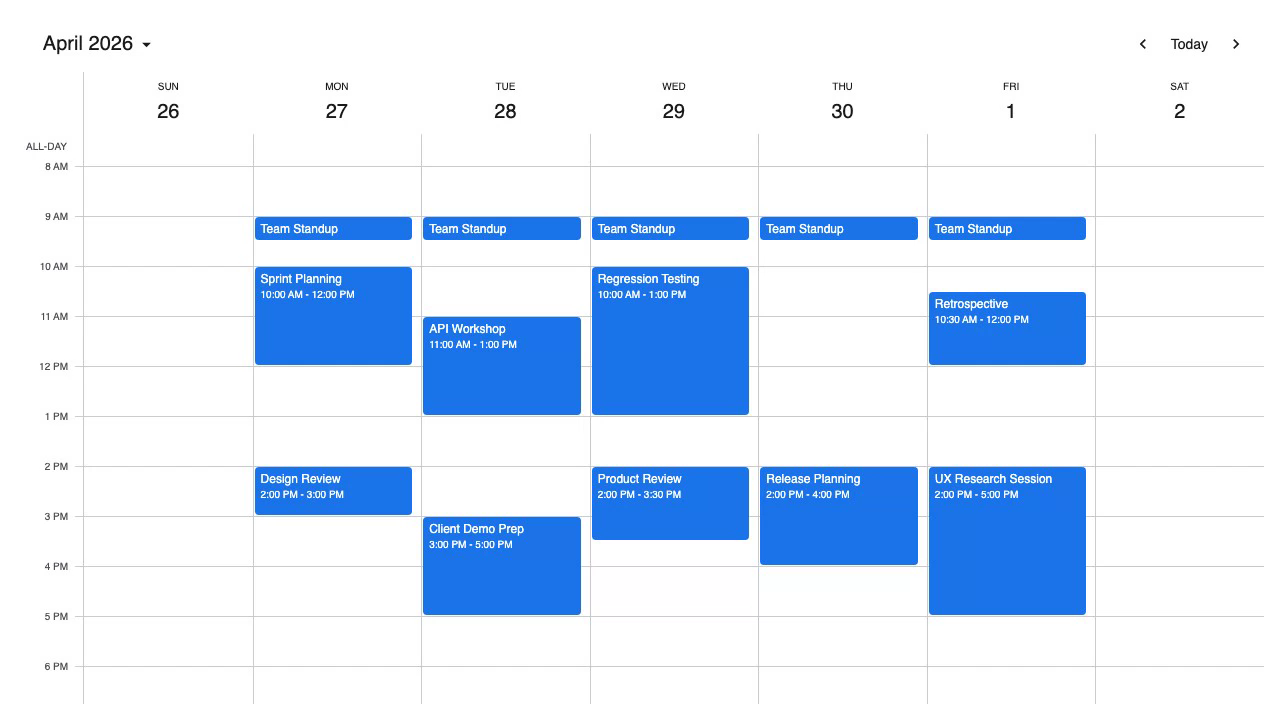
Mobiscroll bundles all view types and resource scheduling in one package
The timeline view, drag-and-drop, drag-to-create, and resize ship in the same package as the time-grid scheduler, calendar, and agenda views. Switching between view types requires only a view config change. Resource scheduling does not require a separate purchase or upgrade.
The view.timeline.type property accepts 'day', 'week', 'month', or 'year', giving teams daily planning, weekly rosters, monthly roadmaps, and annual capacity views in one package. Unlike FullCalendar, which gates the resource timeline behind a Premium subscription, and DHTMLX Scheduler, which requires the Pro commercial license for timeline views, Mobiscroll makes all view types and resource scheduling available in the base package.
Mobiscroll requires CLI authentication before npm install works in any environment
Every developer and CI/CD environment must complete the CLI authentication step before npm install works. This adds friction at onboarding and in automated pipelines, and any agent that runs npm install @mobiscroll/javascript without prior authentication fails.
Event dependencies are not supported. The library has no undo/redo stack, no Excel export, no MCP server, no Claude Code skill, and no AI tooling. This is the only product in this comparison that requires CLI authentication before npm install works, unlike FullCalendar, DHTMLX Scheduler, and Bryntum, which all offer packages on the public npm registry without a prior authentication step.
Mobiscroll pricing: $995 per project perpetual, $1,955 for source code and priority support
Mobiscroll uses a per-project perpetual licensing model for internal applications:
- Scheduling and Calendaring: $995 (includes Event Calendar, single internal project)
- Complete: $1,955 (includes source code and priority support)
- Complete Company: $8,955 (multiple internal projects within one organization)
SaaS and multi-customer product licensing uses a subscription model with custom pricing based on customer count. Mobiscroll offers a 90-day trial and a 30-day money-back guarantee on purchases.
DHTMLX Scheduler
DHTMLX Scheduler is a JavaScript event scheduler with a GPL-licensed Standard edition covering day, week, month, year, agenda, and map views. Drag-and-drop is included in the free Standard edition. The library uses a global scheduler singleton: all configuration goes on that global object before scheduler.init() is called.
Installing DHTMLX Scheduler
The Standard (GPL) package is on the public npm registry:
npm install dhtmlx-scheduler@7.2.13
This minimal setup shows a week view with events spanning April 27 to May 1:
<!-- index.html -->
<style>
  html, body { margin: 0; height: 100%; }
  #container { width: 100%; height: 100vh; }
</style>
<div id="container"></div>
import { scheduler } from 'dhtmlx-scheduler';
import 'dhtmlx-scheduler/codebase/dhtmlxscheduler.css';

scheduler.config.date_format = '%Y-%m-%d %H:%i';
scheduler.config.first_hour  = 8;
scheduler.config.last_hour   = 20;

scheduler.init('container', new Date(2026, 3, 28), 'week');

scheduler.parse([
  { id : 1, text : 'Team Standup',     start_date : '2026-04-27 09:00', end_date : '2026-04-27 09:30' },
  { id : 2, text : 'Sprint Planning',  start_date : '2026-04-27 10:00', end_date : '2026-04-27 12:00' },
  { id : 3, text : 'Design Review',    start_date : '2026-04-27 14:00', end_date : '2026-04-27 15:00' },
  { id : 4, text : 'API Workshop',     start_date : '2026-04-28 11:00', end_date : '2026-04-28 13:00' },
  { id : 5, text : 'Client Demo Prep', start_date : '2026-04-28 15:00', end_date : '2026-04-28 17:00' }
]);
Three setup details require attention:
- The default date format is
DD-MM-YYYY HH:mm. Using ISO-style strings requires settingscheduler.config.date_format = '%Y-%m-%d %H:%i'. scheduler.init()takes a container ID, a date object (not a string), and a view name. Passing a date string produces silent failures.scheduler.parse()must come afterscheduler.init().
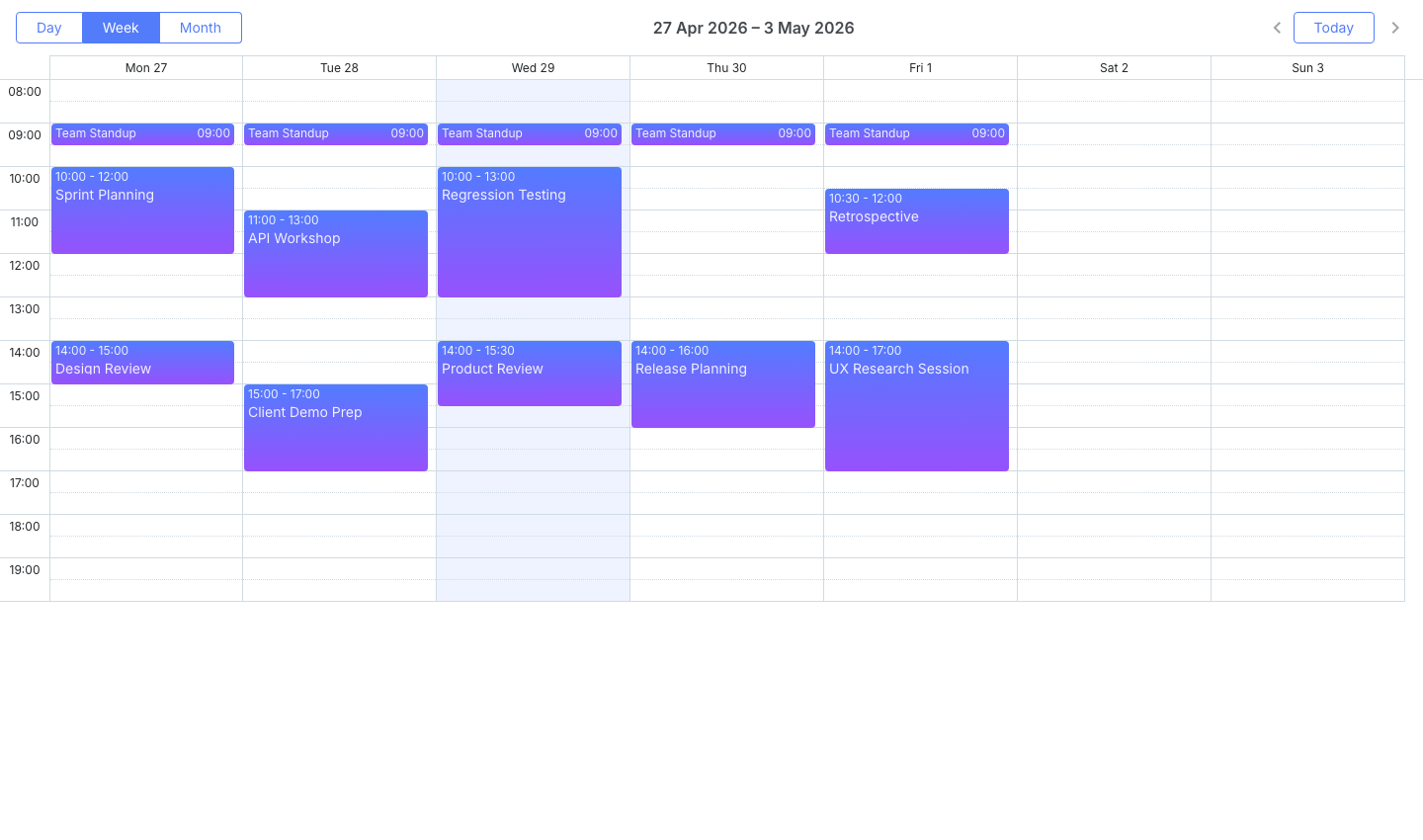
DHTMLX Scheduler Standard is free under GPL with perpetual commercial licenses and an HTTP MCP server
The GPL Standard edition is free for open-source projects with no time limit and no per-developer fee. Day, week, month, year, agenda, and map views are fully functional in Standard with drag-and-drop, custom tooltips, dark theme, and CSS variable theming.
Paid licenses are perpetual with no annual subscription. The Individual license at $599 covers Pro features including the timeline view. DHTMLX also ships an HTTP MCP server covering Scheduler, Gantt, and the rest of the DHTMLX suite. Registering it in Claude Code takes one command.
claude mcp add --transport http dhtmlx-mcp https://docs.dhtmlx.com/mcp
DHTMLX Scheduler is the only competitor in this article with an HTTP MCP server, while Bryntum offers both an HTTP MCP server and a Claude Code skill.
DHTMLX Scheduler timeline and resource views are Pro-only, and the global singleton complicates testing
The timeline view, units view, grid view, and week agenda view are all Pro-only, making the Standard edition a weak starting point for applications where resource scheduling is the primary use case.
Multiple independent scheduler instances on the same page require the Commercial license at $1,299. The global singleton makes unit testing harder because state persists between tests unless explicitly reset. DHTMLX Scheduler has no general-purpose undo/redo stack. DHTMLX Scheduler Standard and FullCalendar both keep timeline and resource views outside the free core, while Mobiscroll includes both in its base package.
DHTMLX Scheduler pricing: free GPL, perpetual Individual at $599, Commercial at $1,299
The Standard (GPL) edition is free for open-source projects. Commercial licenses are perpetual:
- Individual: $599 (includes Pro features, including the timeline view)
- Commercial: $1,299 (required for multiple independent instances on the same page)
- Enterprise: $2,899
Bryntum Calendar
Bryntum Calendar is a commercial JavaScript calendar component with 11 view types: day, week, month, year, agenda, list, multi-day, resource day, resource week, resource month, and scheduler resource. Resource scheduling, drag-and-drop, Excel and ICS export, and undo/redo are all in the base license.
Installing Bryntum Calendar
The trial package is on the public npm registry without authentication:
npm install @bryntum/calendar@npm:@bryntum/calendar-trial@7.3.0
This minimal team calendar shows five resources across a work week. Three CSS imports are required in order before instantiation:
<!-- index.html -->
<style>
  html, body { margin: 0; padding: 0; }
  #app { padding: 1rem; background: #f8f9fa; min-height: 100vh; }
</style>
<div id="app"></div>
import '@bryntum/calendar/fontawesome/css/fontawesome.css';
import '@bryntum/calendar/fontawesome/css/solid.css';
import '@bryntum/calendar/calendar.css';
import '@bryntum/calendar/svalbard-light.css';
import { Calendar } from '@bryntum/calendar';

new Calendar({
  appendTo : 'app',
  date     : '2025-10-12',
  height   : 700,
  mode     : 'week',

  modes : {
    week  : { showAllDayHeader : true },
    month : true,
    day   : true
  },

  resources : [
    { id : 'bryntum', name : 'Bryntum team',     eventColor : 'blue' },
    { id : 'hotel',   name : 'Hotel Park',       eventColor : 'orange' },
    { id : 'michael', name : 'Michael Johnson', eventColor : 'deep-orange' }
  ],

  events : [
    { id : 1, name : 'Hackathon 2025',                       startDate : '2025-10-11T14:00:00', endDate : '2025-10-18T12:00:00', allDay : true, resourceId : 'bryntum', eventColor : 'green' },
    { id : 2, name : 'Breakfast',                            startDate : '2025-10-12T09:00:00', endDate : '2025-10-12T10:00:00', resourceId : 'hotel' },
    { id : 3, name : 'Team Scrum',                           startDate : '2025-10-12T10:00:00', endDate : '2025-10-12T12:00:00', resourceId : 'bryntum' },
    { id : 4, name : 'Scheduler Grid introduction + review', startDate : '2025-10-12T12:00:00', endDate : '2025-10-12T14:00:00', resourceId : 'bryntum' }
  ]
});
The three imports cover FontAwesome icons, the structural calendar.css, and a theme file. Bryntum ships 10 themes across five light/dark pairs, all switchable at runtime via DomHelper.setTheme().
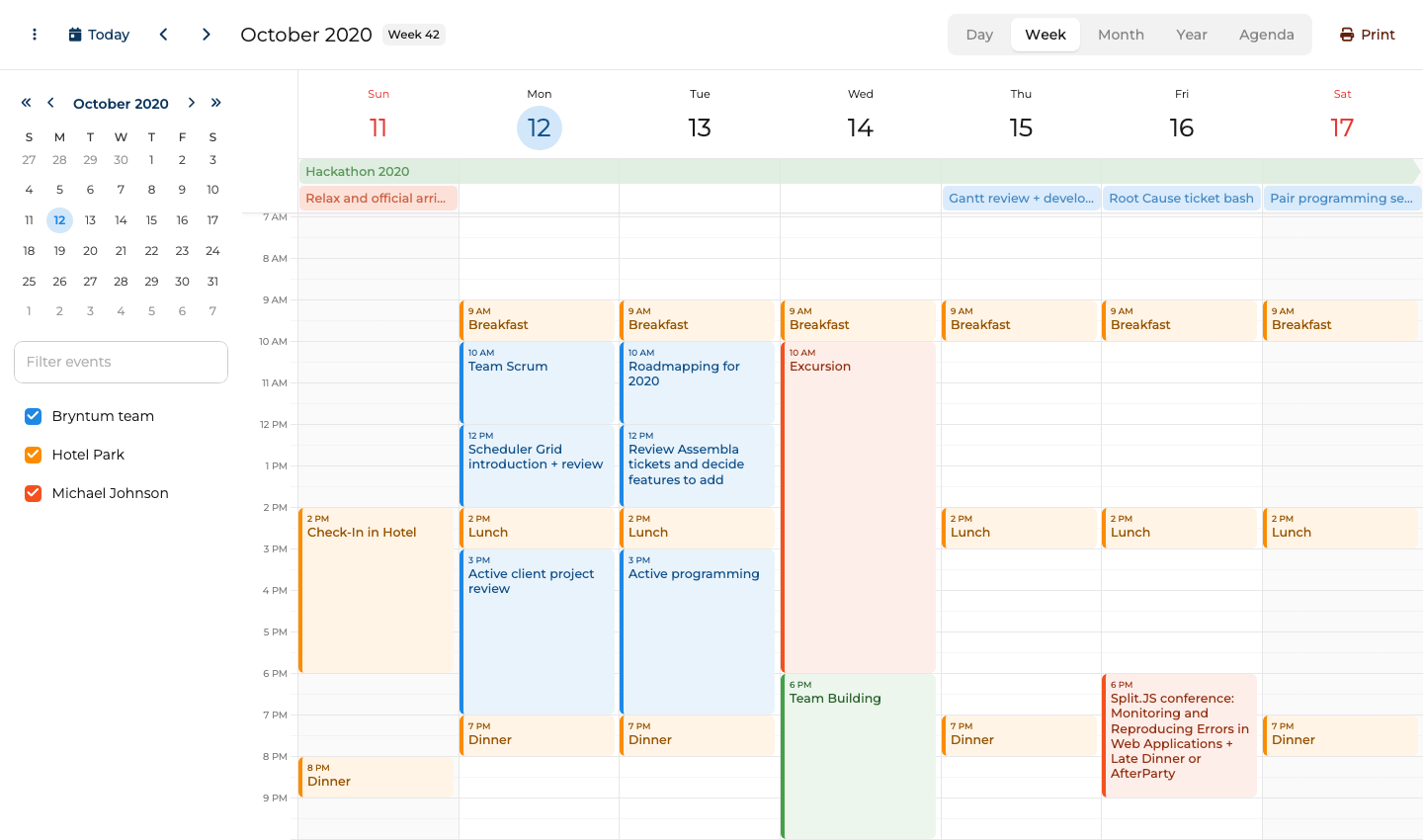
Resource scheduling, export, and undo/redo in the base license
All 11 view types, including the four resource scheduling views, ship in the base license without add-ons. The base license also includes:
- Recurring events and all-day events
- Drag-and-drop across views
- Undo/redo
- Client-side export to Excel, ICS, and print
- 45 built-in locales
The theming system is consistent across the Bryntum product suite (Gantt, Scheduler, Grid, Task Board), so mixing components on the same page requires no visual reconciliation.
Bryntum Calendar: large bundle and separate configuration objects
The trial watermark persists during evaluation, which complicates stakeholder demos before a license purchase. The uncompressed bundle exceeds 4 MB, so applications where initial load time is a constraint should measure this impact early. The API surface (Calendar, ResourceStore, EventStore, and the view configuration layer) takes time to learn relative to lighter alternatives.
Bryntum Calendar pricing: perpetual license from $680 per developer, $600 per developer at volume
Per-developer licensing starts at $680 for a small team, with a $600-per-developer rate at volume. OEM licensing for SaaS applications requires a separate quote. All licenses are perpetual and include 12 months of updates.
MCP server and Claude Code skill
Bryntum ships two complementary AI tools: an MCP server for documentation retrieval and a Claude Code skill for agent-level judgment about common coding mistakes.
The MCP server at mcp.bryntum.com exposes a search_bryntum_docs tool that returns version-specific documentation, source code examples, and API references for Calendar and the rest of the Bryntum suite. The Claude Code skill covers the mistakes that documentation retrieval alone misses: CSS import order, view configuration structure, and the correct dark mode pattern via DomHelper.setTheme().
Bryntum also ships an experimental, disabled-by-default AI chat panel for Calendar. End users give natural language instructions such as "move the team standup to 10 AM every day this week" without touching the interface directly.
To get resource scheduling, drag-and-drop, and AI tooling without a per-project Premium license, try the Bryntum Calendar free trial.