Best Vue calendar components

When choosing a calendar component for Vue, we need to know whether the library can handle appointment workflows, not just date selection. In this article, a calendar means day, week, and month views where users create, edit, and move events. For a broader comparison across frameworks, our best JavaScript calendar components article covers more options.
This article compares five Vue calendar components using the criteria below.
- Vue integration model.
- Calendar views and editing behavior.
- Resource scheduling and recurrence.
- Pricing and license tiers.
- When Bryntum Calendar is the stronger production option.
Bryntum Calendar
Bryntum Calendar ships a dedicated Vue 3 wrapper package so integration feels native rather than bolted on. It focuses on performance and extensibility as a fully featured commercial component. The Bryntum Calendar Vue quick start covers the full setup path.
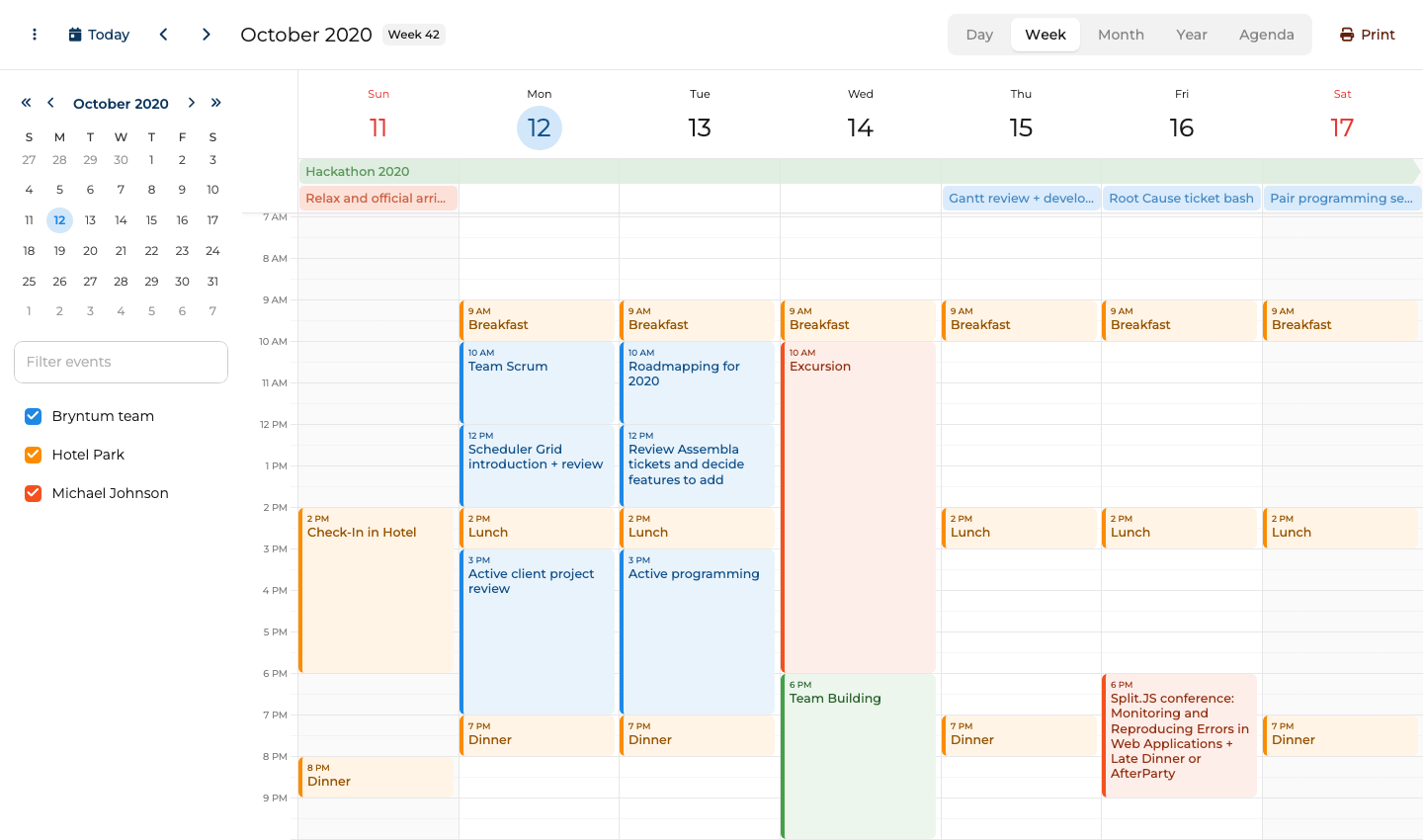
Bryntum Calendar setup with Vue 3
Bryntum Calendar uses a private npm registry. Install the trial package alongside the Vue 3 wrapper:
npm install @bryntum/calendar@npm:@bryntum/calendar-trial@7.3.0
npm install @bryntum/calendar-vue-3@7.3.0
Import the CSS files in main.js. The order matters: Font Awesome base styles must come before the icon subset, and the theme file must come after the component styles so theme variables override defaults correctly.
import '@bryntum/calendar/fontawesome/css/fontawesome.css';
import '@bryntum/calendar/fontawesome/css/solid.css';
import '@bryntum/calendar/calendar.css';
import '@bryntum/calendar/svalbard-light.css';
Then use the BryntumCalendar component in your App.vue:
<template>
    <bryntum-calendar v-bind="calendarConfig" />
</template>

<script setup>
import { ref } from 'vue';
import { BryntumCalendar } from '@bryntum/calendar-vue-3';

const calendarConfig = ref({
    date      : '2025-10-12',
    resources : [
      { id : 'bryntum', name : 'Bryntum team',     eventColor : 'blue' },
      { id : 'hotel',   name : 'Hotel Park',       eventColor : 'orange' },
      { id : 'michael', name : 'Michael Johnson', eventColor : 'deep-orange' }
    ],
    events    : [
      { id : 1, name : 'Hackathon 2025',                       startDate : '2025-10-11T14:00:00', endDate : '2025-10-18T12:00:00', allDay : true, resourceId : 'bryntum', eventColor : 'green' },
      { id : 2, name : 'Breakfast',                            startDate : '2025-10-12T09:00:00', endDate : '2025-10-12T10:00:00', resourceId : 'hotel' },
      { id : 3, name : 'Team Scrum',                           startDate : '2025-10-12T10:00:00', endDate : '2025-10-12T12:00:00', resourceId : 'bryntum' },
      { id : 4, name : 'Scheduler Grid introduction + review', startDate : '2025-10-12T12:00:00', endDate : '2025-10-12T14:00:00', resourceId : 'bryntum' }
    ]
});
</script>
Bryntum Calendar gives Vue apps built-in resource scheduling
Bryntum Calendar provides a complete set of scheduling features.
- Day, week, month, year, and agenda views out of the box without plugins.
- RFC 5545 RRULE recurring events so weekday recurrence rules work without custom parsing logic.
- Drag-and-drop for both moving and resizing events.
- Resource calendar view to display multiple people or rooms side by side.
- Ten built-in themes, including dark mode options, with support for custom themes.
Bryntum Calendar starts with the Small Team license
Bryntum Calendar costs $680 per developer for the Small Team license, with a three-developer minimum and 12 months of updates. A free trial is available through the npm trial package used in the install step above.
Bryntum Calendar brings advanced scheduling features to Vue
Bryntum Calendar stands out in five areas.
- Native Vue 3 wrapper with full TypeScript support.
- RFC 5545 RRULE recurring events built in.
- Resource calendar included in the base product.
- Ten themes, including dark mode options.
- Active commercial support and long release history.
Bryntum Calendar adds commercial cost and configuration depth
Two limitations apply when evaluating Bryntum Calendar.
- Commercial license required, making it unsuitable for open-source projects with GPL-incompatible constraints.
- Broader configuration surface means a steeper learning curve compared to simpler libraries.
FullCalendar
FullCalendar has the widest adoption of any open-source calendar library in the JavaScript ecosystem. The core is MIT-licensed, and premium plugins add resource views for teams that need them.
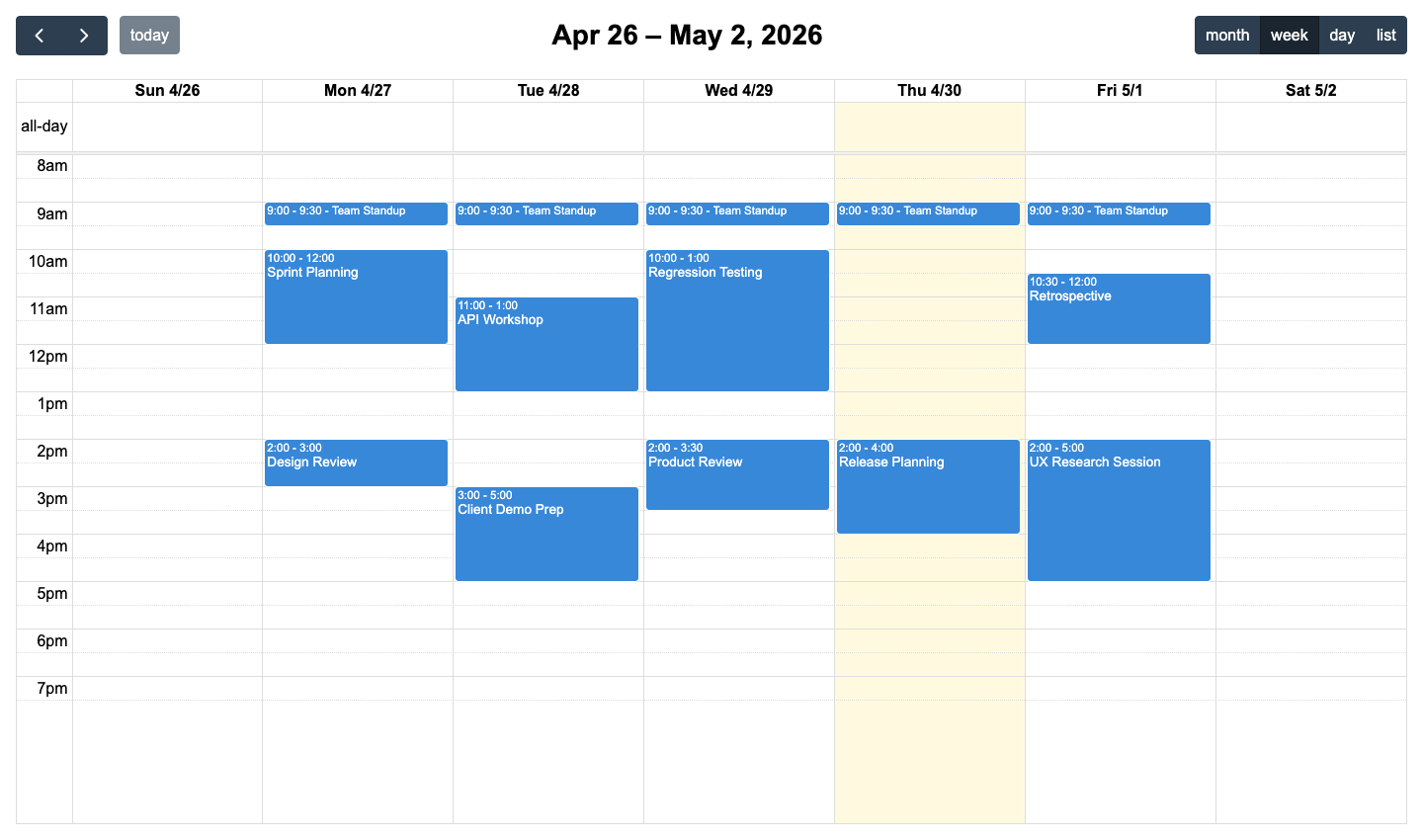
FullCalendar setup with Vue 3 plugins
Install the Vue 3 component and the plugins you need:
npm install @fullcalendar/vue3 @fullcalendar/core @fullcalendar/daygrid @fullcalendar/timegrid @fullcalendar/list @fullcalendar/interaction @fullcalendar/rrule
Then wire everything up in App.vue:
<template>
    <FullCalendar :options="calendarOptions" />
</template>

<script setup>
import FullCalendar from '@fullcalendar/vue3';
import dayGridPlugin from '@fullcalendar/daygrid';
import timeGridPlugin from '@fullcalendar/timegrid';
import listPlugin from '@fullcalendar/list';
import interactionPlugin from '@fullcalendar/interaction';
import rrulePlugin from '@fullcalendar/rrule';

const calendarOptions = {
    plugins      : [dayGridPlugin, timeGridPlugin, listPlugin, interactionPlugin, rrulePlugin],
    initialView  : 'dayGridMonth',
    headerToolbar : { left : 'prev,next today', center : 'title', right : 'dayGridMonth,timeGridWeek,listWeek' },
    editable   : true,
    selectable : true,
    events     : [
        { title : 'Team standup', rrule : { freq : 'weekly', byweekday : ['mo','tu','we','th','fr'], dtstart : '2026-01-15T09:00:00' }, duration : '00:30' },
        { title : 'Sprint review', start : '2026-01-16T14:00:00', end : '2026-01-16T15:00:00' }
    ]
};
</script>
FullCalendar covers Vue calendars without resource views
FullCalendar covers day, week, month, and list views through its plugin architecture. The rrule plugin adds recurring event support using standard RRULE syntax. The interaction plugin handles drag-and-drop and click-to-select. The premium resource timeline and resource day grid plugins add side-by-side resource views for team scheduling, though these require a separate commercial license. The plugin model keeps bundle size lean, since only the views in use are shipped.
FullCalendar has the broader free ecosystem, but Bryntum Calendar includes the resource scheduling features Vue teams otherwise need Premium plugins to unlock.
FullCalendar keeps core views free and charges for Premium resources
The core FullCalendar library and its standard plugins are MIT-licensed and free. FullCalendar Premium, which includes resource timeline, resource day grid, and resource time grid plugins, starts at $480 per year.
FullCalendar gives Vue teams a mature free core
FullCalendar has five clear advantages.
- MIT core is free for any project type.
- Large community with extensive Stack Overflow coverage.
- Plugin architecture keeps bundle size small.
- The rrule plugin for recurring events is well-documented.
- Official Vue 3 wrapper maintained by the FullCalendar team.
FullCalendar needs extra plugins and custom styling
Four limitations come with FullCalendar.
- Resource calendar requires a paid premium license.
- Each view is a separate npm package, which adds installation overhead.
- Default styling is minimal and requires CSS work to match most design systems.
- No built-in dark mode theme.
Schedule-X
Schedule-X takes a TypeScript-first approach built around a plugin architecture. It is MIT-licensed and works with Vue, React, and plain JavaScript through framework-specific wrappers.
Schedule-X setup with its Vue adapter
npm install @schedule-x/vue @schedule-x/calendar @schedule-x/theme-default @schedule-x/event-recurrence
Create the calendar instance and pass it to the component:
<template>
    <ScheduleXCalendar :calendar-app="calendar" />
</template>

<script setup>
import { ScheduleXCalendar } from '@schedule-x/vue';
import { createCalendar, createViewWeek, createViewMonthGrid } from '@schedule-x/calendar';
import { createEventRecurrencePlugin } from '@schedule-x/event-recurrence';
import '@schedule-x/theme-default/dist/index.css';

const calendar = createCalendar({
    views   : [createViewWeek(), createViewMonthGrid()],
    events  : [
        { id : '1', title : 'Team standup',  start : '2026-01-15 09:00', end : '2026-01-15 09:30' },
        { id : '2', title : 'Sprint review', start : '2026-01-16 14:00', end : '2026-01-16 15:00' }
    ],
    plugins : [createEventRecurrencePlugin()]
});
</script>
Schedule-X gives Vue teams a TypeScript-first calendar core
Schedule-X ships week and month grid views, with day and month agenda views also available. The recurrence plugin handles recurring events. The default theme supports dark mode through a CSS class toggle. The library is written in TypeScript throughout, so type definitions are accurate and IDE autocomplete works well. Drag-and-drop and resource view require Schedule-X Premium plugins.
Schedule-X gives Vue teams a lighter TypeScript-first calendar, while Bryntum Calendar gives them more built-in scheduling depth.
Schedule-X pricing separates free core and Premium plugins
Schedule-X core is MIT-licensed and free. Premium plugins, including resource view, drag-and-drop, drag-to-create, and event forms, require a paid Schedule-X Premium license.
Schedule-X keeps Vue calendars typed and modular
Schedule-X suits TypeScript-first teams for several reasons.
- MIT-licensed with no commercial restrictions.
- TypeScript-first with accurate type definitions.
- Dark mode included in the default theme.
- Lightweight and tree-shakeable plugin architecture.
- Actively developed with modern API design.
Schedule-X falls short when resource views are required
Four limitations restrict Schedule-X for some projects.
- No resource calendar view.
- Smaller community than FullCalendar, so fewer third-party examples.
- Drag-and-drop requires an additional plugin and is less mature than competing libraries.
- Fewer built-in views compared to Bryntum or FullCalendar.
DHTMLX Scheduler
DHTMLX Scheduler predates modern component frameworks and has accumulated a broad feature set over many years. The Vue integration uses a small wrapper around the scheduler instance rather than a declarative component model.
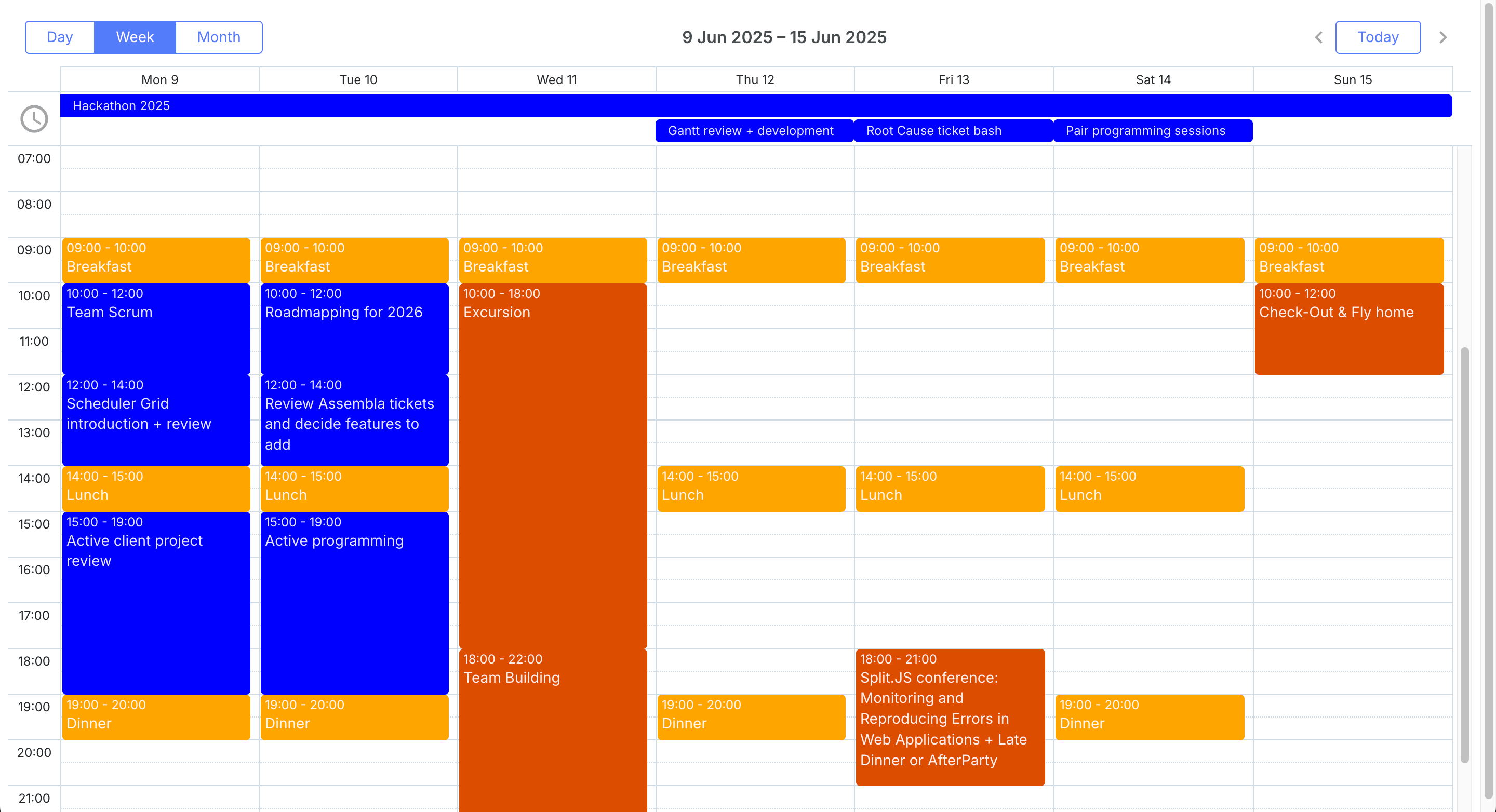
DHTMLX Scheduler setup with Vue lifecycle hooks
npm install dhtmlx-scheduler
The public package can be initialized against a DOM element in onMounted and torn down in onBeforeUnmount:
<template>
    <div ref="containerRef" style="width: 100%; height: 100vh;" />
</template>

<script setup>
import { ref, onMounted, onBeforeUnmount } from 'vue';
import 'dhtmlx-scheduler/codebase/dhtmlxscheduler_material.css';
import scheduler from 'dhtmlx-scheduler';

const containerRef = ref(null);

onMounted(() => {
    scheduler.config.xml_date = '%Y-%m-%d %H:%i';
    scheduler.init(containerRef.value, new Date(2026, 0, 15), 'month');
    scheduler.parse([
        { id : 1, text : 'Team standup',  start_date : '2026-01-15 09:00', end_date : '2026-01-15 09:30' },
        { id : 2, text : 'Sprint review', start_date : '2026-01-16 14:00', end_date : '2026-01-16 15:00' }
    ]);
});

onBeforeUnmount(() => { scheduler.destructor(); });
</script>
DHTMLX Scheduler requires imperative setup in Vue
DHTMLX Scheduler covers day, week, month, year, and agenda views, plus a timeline view for resource scheduling in the PRO edition. Recurring events follow a custom DHTMLX format rather than RFC 5545, which can complicate interoperability with other calendar systems. Drag-and-drop is built in. The library has a long track record in enterprise deployments and extensive documentation accumulated over many years.
DHTMLX Scheduler brings mature views, but Bryntum Calendar fits Vue's component model more naturally through its Vue 3 wrapper.
DHTMLX Scheduler pricing separates GPL and PRO use
DHTMLX Scheduler Standard is free for GPL-compatible open-source projects. Paid PRO licenses start with the Individual tier at $599, and DHTMLX lists Commercial, Enterprise, and Ultimate tiers for larger teams.
DHTMLX Scheduler brings mature scheduler views to Vue
DHTMLX Scheduler has four notable strengths.
- Proven in large-scale enterprise deployments.
- Wide range of built-in views including timeline.
- Perpetual license available.
- Comprehensive documentation and a large archive of examples.
DHTMLX Scheduler does not fit Vue's declarative model cleanly
Four drawbacks apply when using DHTMLX Scheduler in a Vue project.
- The public package uses manual DOM initialization, which does not fit the Vue declarative style well.
- Global singleton architecture causes issues in multi-instance or SSR scenarios.
- Recurring events use a proprietary format rather than RFC 5545.
- UI looks dated compared to newer libraries without custom theming.
Mobiscroll Event Calendar
Mobiscroll prioritizes mobile-first design, with touch interactions and responsive layouts as primary design goals. It ships a dedicated Vue package with components for its event calendar, scheduler, and timeline views.
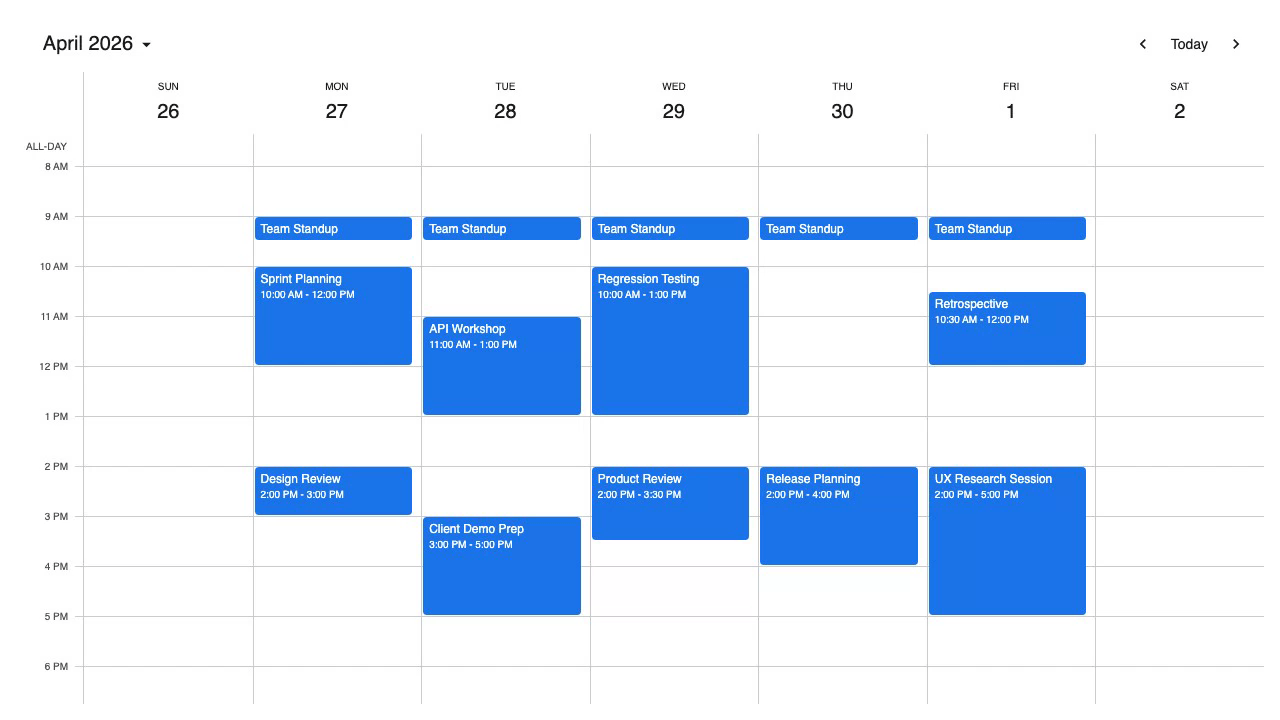
Mobiscroll Event Calendar setup with Vue
Configure the Mobiscroll private npm registry before installing the Vue package:
npm install @mobiscroll/vue
<template>
    <mbsc-eventcalendar :data="events" :view="myView" :drag-to-move="true" :drag-to-create="true" />
</template>

<script setup>
import { ref } from 'vue';
import { MbscEventcalendar } from '@mobiscroll/vue';
import '@mobiscroll/vue/dist/css/mobiscroll.min.css';

const events = ref([
    { id : 1, title : 'Team standup',  start : '2026-01-15T09:00:00', end : '2026-01-15T09:30:00', recurring : { repeat : 'weekly', weekDays : 'MO,TU,WE,TH,FR' } },
    { id : 2, title : 'Sprint review', start : '2026-01-16T14:00:00', end : '2026-01-16T15:00:00' }
]);
const myView = { calendar : { type : 'week', popover : true } };
</script>
Mobiscroll Event Calendar targets mobile-first Vue calendars
Mobiscroll Event Calendar covers month, week, and day views alongside an agenda view and a schedule grid. Recurring events use a Mobiscroll-specific recurrence object rather than RFC 5545. The format is documented and covers common patterns. Props enable drag-and-drop for both moving and creating events. The component renders well on small screens. The same package includes a resource scheduler and timeline view as separate Mobiscroll components.
Mobiscroll is better suited to mobile-heavy Vue apps, while Bryntum Calendar is better suited to production scheduling apps with resource calendars.
Mobiscroll Event Calendar starts with an internal project license
Mobiscroll Event Calendar starts at $995 for a single internal project as a perpetual license. The Complete internal project license starts at $1,955 and adds the full product set, source code, and priority support.
Mobiscroll Event Calendar prioritizes touch UX
Mobiscroll Event Calendar is a strong fit for mobile-first Vue projects.
- Excellent mobile and touch experience.
- Strong accessibility support.
- Native Vue component with clean prop-based API.
- The Complete internal project license includes the full Mobiscroll product set.
- Built-in themes including dark mode.
Mobiscroll Event Calendar has less depth for advanced customization
Four limitations apply before choosing Mobiscroll.
- Multi-project product teams need a higher tier or a SaaS license.
- Recurring events use a proprietary format rather than RFC 5545.
- Community is smaller than FullCalendar.
- Less documentation depth for advanced customization scenarios.
Which Vue calendar component should you choose?
The table below summarizes how each library compares across the features that matter most for calendar applications.
| Feature | Bryntum Calendar | FullCalendar | Schedule-X | DHTMLX Scheduler | Mobiscroll |
|---|---|---|---|---|---|
| Day/week/month views | Yes | Yes | Yes | Yes | Yes |
| Recurring events | RFC 5545 | RFC 5545 (plugin) | Plugin | Proprietary | Proprietary |
| Drag-and-drop | Built in | Plugin | Plugin | Built in | Built in |
| Resource calendar | Built in | Premium ($480/yr) | No | PRO license | Separate component |
| Dark mode | Yes (10 themes) | No | Yes | No | Yes |
| Vue 3 native wrapper | Yes | Yes | Yes | No | Yes |
| Free / open-source | No | Core only | Yes | GPL only | No |
The table below matches common use cases to the library most likely to fit.
| Use case | Recommended library |
|---|---|
| Enterprise app with resource scheduling and commercial support | Bryntum Calendar |
| Open-source project needing a free, standards-based calendar | FullCalendar (core) or Schedule-X |
| Mobile-first app where touch and accessibility are priorities | Mobiscroll Event Calendar |
| Legacy application already using DHTMLX products | DHTMLX Scheduler |
For teams starting a new Vue 3 project that need a production-ready calendar with resource views, recurring events, and long-term vendor support, Bryntum Calendar is the strongest all-round choice. The native Vue 3 wrapper, RFC 5545 compliance, and 10 built-in themes reduce the amount of custom work needed to reach a polished result.
For teams with open-source licensing requirements, FullCalendar is the most mature free option. Its large community means answers to common questions are readily available, and the plugin architecture keeps the initial bundle lean. Schedule-X is worth considering if TypeScript support and modern API design are priorities and resource views are not required.
Mobiscroll stands out for teams building calendar experiences that need to work well on phones and tablets, where its touch handling and accessibility story are genuinely stronger than the alternatives. DHTMLX Scheduler remains a reasonable choice only when a project is already tied to the DHTMLX ecosystem, since its imperative initialization model does not fit naturally into Vue applications.